App Store Privacy Labels Explained: How to Check What an App Collects Before You Download It
Published By Uzair Khan
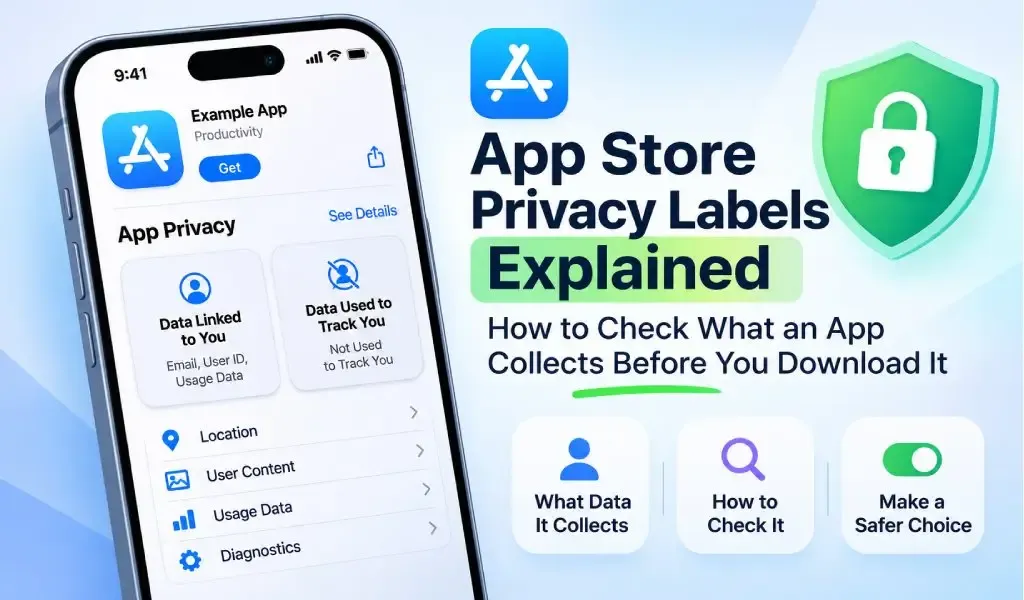
Downloading an app means more than adding a new feature to your iPhone or iPad. Depending on how the app works, it may collect information such as your email address, location, device identifiers, usage activity, or diagnostic data. Understanding what happens to this information can help you make better decisions about the apps you install.
Apple's App Store Privacy Labels, also known as Privacy Nutrition Labels, provide a way to review an app's reported data collection practices before downloading it. They explain what types of information an app may collect, how that information is used, whether it is linked to your identity, and whether it is used for tracking.
However, these labels require more than a quick glance. An app collecting diagnostic information is not necessarily doing the same thing as an app using personal information for targeted advertising.
This guide explains how Apple privacy labels work, how to read them, and what to check before installing an app.
What Are App Store Privacy Labels?
App Store Privacy Labels are summaries of an app's data collection and usage practices displayed on its Apple App Store product page. They help users understand what information an app may collect and whether that information is linked to their identity or used to track them.
Apple introduced these privacy disclosures to make app data practices easier to understand before users download software. Developers provide the information through App Store Connect, including relevant data collection by third-party partners whose code is integrated into their apps.
The labels organize information into categories such as contact details, location, financial information, user content, identifiers, usage data, and diagnostics.
For example, a document scanning app may collect diagnostic information to identify technical problems. A social networking app may collect profile details, uploaded content, and usage information to support its features.
The important point is that the privacy label provides information about an app's declared practices, not a guarantee that the app is completely private or secure.
How to Check an App's Privacy Labels Before Downloading
You can check an app's privacy information directly from its App Store listing without installing it.
Follow these steps:
- Open the App Store on your iPhone or iPad.
- Search for the app you are considering downloading.
- Select the app to open its product page.
- Scroll down until you find the App Privacy section.
- Review the categories under Data Used to Track You and Data Linked to You, if displayed.
- Select See Details to examine the specific information the developer reports collecting and the purposes for which it is used.
- Review the developer's privacy policy using the link provided on the product page.
You can also review the privacy information on an app's product page through Apple's web-based App Store.
Practical tip: Do not stop at the first privacy summary. Open the detailed information and check the individual data types and their stated purposes.
What Types of Data Can an App Collect?
Apple organizes app data into several categories so users can identify the kinds of information an application may handle.
Understanding these categories makes privacy labels much easier to interpret.
1. Contact Information
Contact information includes details that can identify or help communicate with a user, such as:
- Name
- Email address
- Phone number
- Physical address
- Other contact information
An app may need an email address for account registration, authentication, or customer support. However, users should consider whether the requested information is necessary for the app's primary features.
2. Location Data
Location information describes where a user or device is located.
Apple distinguishes between:
- Precise Location: Information that identifies a relatively exact geographic position.
- Coarse Location: Less precise information that identifies a general area.
A navigation application may require location access to provide directions, while a simple calculator generally has no obvious functional reason to need it.
The purpose of location collection matters just as much as the type of information collected.
3. Financial Information
Financial information may include:
- Payment information
- Credit information
- Salary and income details
- Other financial information
Not every app that offers paid features collects payment card details itself. For example, if payment information is entered through an external payment service and the app developer never accesses it, Apple does not classify that payment information as collected by the app developer for this disclosure.
4. User Content
User content includes information that people create, upload, or share through an application.
Examples include:
- Photos and videos
- Audio recordings
- Emails or text messages
- Customer support messages
- Other user-generated content
A photo editing application may need access to selected images to perform its main function. A voice recording application may process audio recordings.
Check whether this information is uploaded to external servers or processed entirely on your device. The privacy label alone may not explain every technical detail of that process.
5. Identifiers
Identifiers are details that can distinguish a user, account, or device.
Apple includes categories such as:
- User ID
- Device ID
These identifiers can support account management, analytics, fraud prevention, and advertising-related activities.
A device identifier does not necessarily reveal a person's real name, but it can still be useful for recognizing a particular device or connecting information across services.
6. Usage Data
Usage data describes how people interact with an application.
It may include:
- App launches
- Taps and clicks
- Scrolling activity
- Content viewed
- Advertising interactions
- Other activity within the application
Developers may use this information to understand how users interact with their products, identify popular features, and improve the user experience.
7. Diagnostics
Diagnostic information helps developers identify technical issues and improve application performance.
Examples include:
- Crash data
- Performance data
- Other diagnostic information
For example, crash reports may help developers determine why an application unexpectedly closes. Performance information may help identify slow loading times or other technical problems.
Diagnostic data is not automatically advertising data. Always check the stated purpose rather than assuming that every collected data type is used in the same way.
What Does Data Linked to You Mean?
Data Linked to You means that information collected by an app is associated with your identity through your account, device, or other identifying details.
For example, an application may collect an email address connected to your registered account or associate usage information with your user ID.
This connection matters because information linked to an identifiable user can reveal more about that person's activities and preferences.
Apple explains that developers must apply appropriate privacy protections, such as removing direct identifiers and preventing information from being linked back to an individual, before qualifying data as not linked to the user.
What to check: Look at the specific data categories listed under Data Linked to You. Consider whether the information is necessary for the app's functionality and whether the stated purposes make sense.
What Does Data Used to Track You Mean?
Data Used to Track You refers to information collected about a user or device that is linked with data from other companies' apps, websites, or offline properties for targeted advertising or advertising measurement, or shared with a data broker.
For example, an advertising network may combine information from different apps and websites to build advertising profiles or measure advertising performance.
Tracking is not the same as every type of data collection. An application can collect information for account authentication, analytics, or technical functionality without necessarily using it for Apple's defined tracking purposes.
When reviewing this section, pay attention to whether the app declares tracking and which information is associated with it.
What Is the Difference Between Data Collection, Data Sharing, and Tracking?
These three terms describe different aspects of how applications handle information.
| Term | What it means |
|---|---|
| Data collection | Information is transmitted off the device and made accessible to the developer or its partners beyond what is necessary to service the request in real time. |
| Data sharing | Information is provided to or made accessible to another organization or service. |
| Tracking | Information is linked with third-party data for targeted advertising or advertising measurement, or shared with a data broker. |
These distinctions are important because collecting information does not automatically mean an app shares it for advertising or tracks users across different services.
An application may collect diagnostic information to fix crashes without using it for advertising. Another application may use device identifiers and third-party advertising services for targeted marketing.
Always examine the declared purpose and the tracking section together.
Check out the QuickPaste App here,
Are App Store Privacy Labels Always Accurate?
Apple requires developers to disclose their data collection practices and keep their answers accurate and up to date. Developers must also account for relevant third-party partners and integrated software development kits (SDKs).
However, privacy labels are developer-reported disclosures, not independent technical audits of every app.
There are also situations in which information does not need to be disclosed under Apple's rules.
For example:
- Information processed entirely on the device is not considered collected under Apple's definition.
- Certain information transmitted and immediately discarded after servicing a request may not qualify as collected.
- Some limited, optional information submitted directly by users can qualify for an exception to disclosure requirements.
- Qualifying optional product improvement programs may also be exempt.
This means a label should be treated as an important starting point rather than a complete account of every technical operation performed by an app.
For additional information, read the developer's privacy policy and check how the application handles information, retention, sharing, and deletion requests.
How to Decide Whether an App's Privacy Practices Are Acceptable
A privacy label is most useful when you evaluate it in relation to the app's actual purpose.
Before downloading an application, consider these questions:
1. Does the app collect information that its features genuinely need?
A navigation application may reasonably require location information. A basic flashlight application generally has little functional reason to request access to contacts or health information.
2. Is personal information linked to your identity?
Check whether information such as email addresses, account identifiers, or device identifiers is associated with your identity.
3. Does the app declare tracking?
If the app reports using data for tracking, examine which information is involved and whether you are comfortable with that practice.
4. Does the developer explain its privacy practices?
Read the privacy policy and look for information about data collection, third-party services, retention, sharing, and deletion.
5. Do the requested permissions make sense?
An app's privacy label and its device permission requests are related but different. Review both before granting access.
6. Is the app regularly maintained?
Check its update history, developer information, and user feedback. Regular updates alone do not prove that an app is secure, but an active developer can provide useful information about ongoing maintenance.
Are Apple's App Privacy Labels the Same as Google Play's Data Safety Section?
No. Apple's App Privacy Labels and Google Play's Data Safety section serve similar transparency purposes, but they use different disclosure frameworks and definitions.
Apple displays privacy information on App Store product pages, including data categories, whether data is linked to users, and whether it is used for tracking.
Google Play provides a Data Safety section where developers describe how their apps collect, share, and handle user data. It also includes information about certain security practices, such as encryption and data deletion.
Android users can find this information by opening an app's Google Play listing and selecting its Data Safety section.
Both systems help users make more informed installation decisions, but their categories and reporting requirements should not be treated as interchangeable.
Frequently Asked Questions
Can I check an app's privacy labels without downloading it?
Yes. Open the app's product page in the Apple App Store and scroll to the App Privacy section. You can review the developer's disclosed data practices before installing the application.
Does Data Not Collected mean an app is completely safe?
No. It means the developer reports that the app does not collect data under Apple's disclosure framework. It does not independently prove that the application is free from security vulnerabilities, malicious behavior, or other privacy risks.
Does collecting data mean an app is tracking me?
No. Data collection and tracking are different concepts. An app may collect information for functionality or diagnostics without using it for Apple's defined cross-company tracking purposes.
Can an app collect data without accessing my contacts or location?
Yes. Applications can collect information such as device identifiers, usage activity, or diagnostic data without requesting access to contacts or precise location.
Can I stop an app from collecting all my information?
Not necessarily. You can control certain permissions and privacy settings, but some information may be necessary for the app to function. Review the app's settings, available privacy controls, and privacy policy to understand your options.
Are App Store Privacy Labels independently verified by Apple?
Apple requires developers to provide accurate disclosures and has an app review process. However, the privacy labels themselves are developer-reported summaries, not independent technical audits of every app's data collection practices.
Final Thoughts
App Store Privacy Labels make it easier to understand how applications report collecting and using personal information. By checking data categories, linked information, tracking practices, and developer privacy policies, you can make more informed decisions before installing an app.
Remember that collecting data is not automatically a sign of poor privacy practices. What matters is what information an app collects, why it collects it, how it handles that information, and whether those practices are appropriate for its features.
Taking a few minutes to review an app's privacy information before downloading it is a practical step toward better control of your digital privacy.