
NumPad Pro
A fast numeric keypad for every app you type numbers in.
- Price
- Free, with optional Pro plans
- Works on
- iPhone and iPad
- Requires
- iOS 17.0 or later
- Category
- Utilities
- Languages
- English
What NumPad Pro does
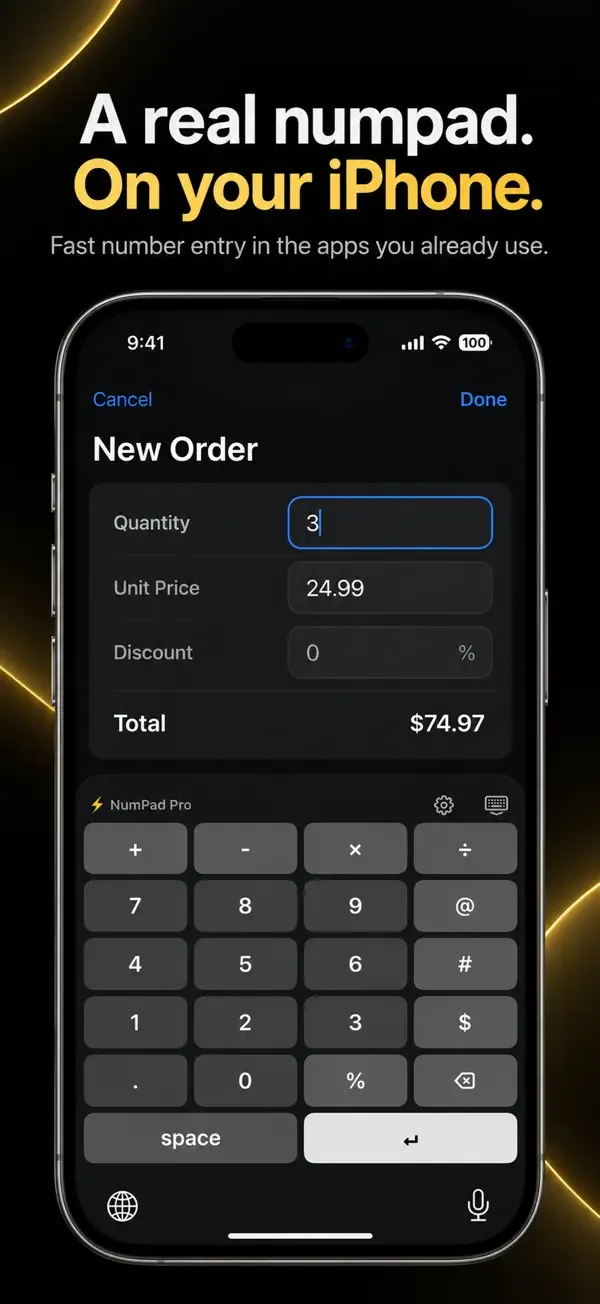
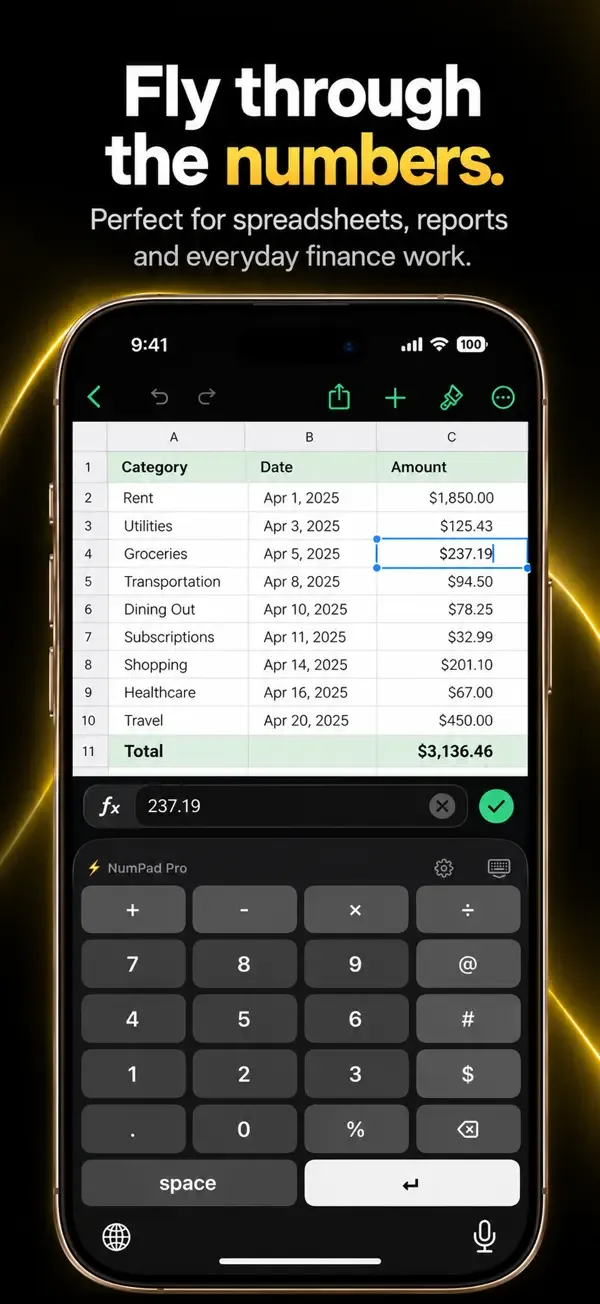
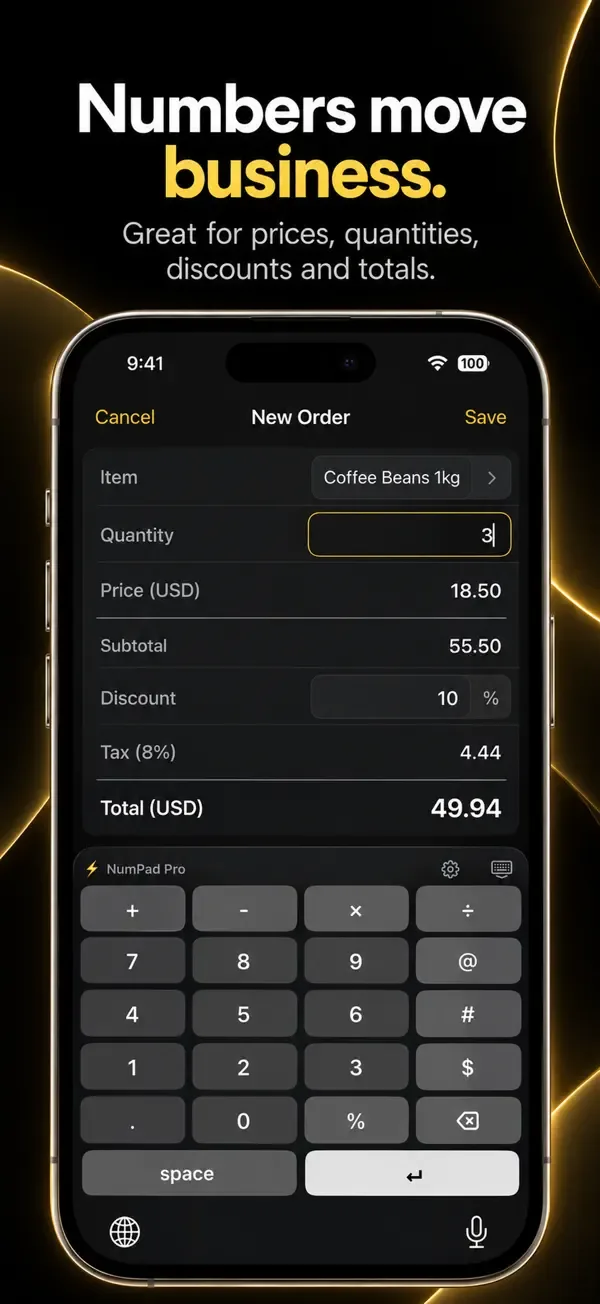
NumPad Pro replaces the small digits on the standard keyboard with a dedicated numeric keypad that works system-wide. Switch to it with the globe key in Notes, Messages, Mail, Safari, Numbers, Excel, Google Sheets, forms and search bars.
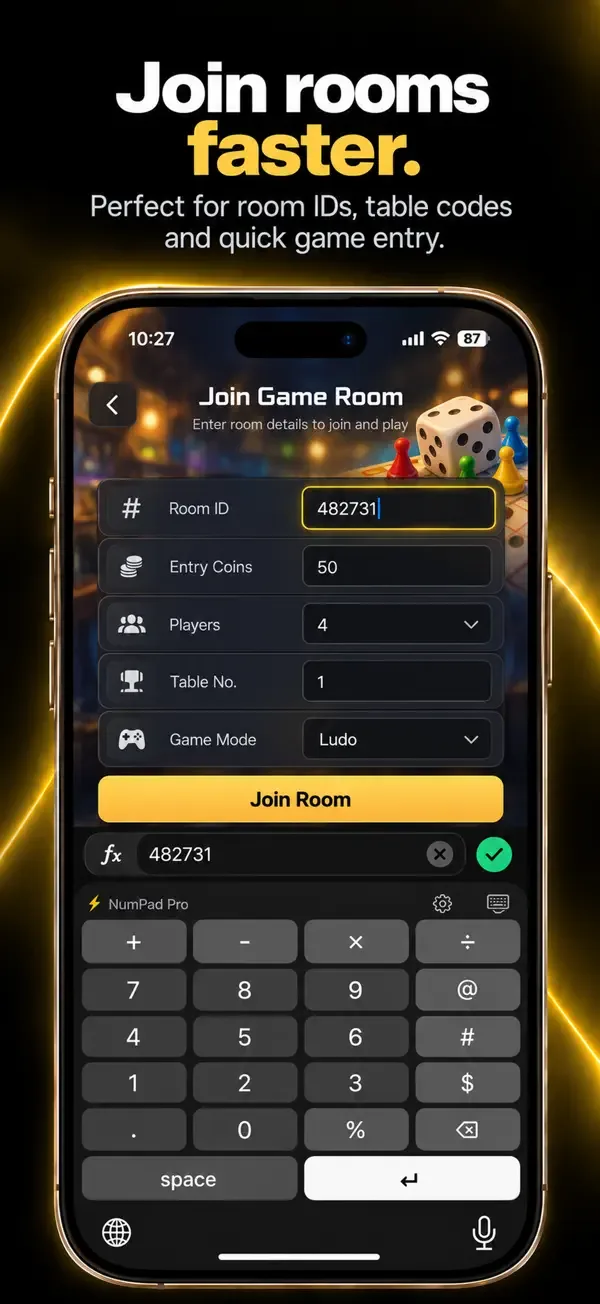
It is built for people who enter numbers all day: accountants, traders, spreadsheet users, gamers entering codes and scores, and anyone filling in prices, dates or ID numbers. Choose phone or calculator digit order, add an operator row or symbol column, and use one-handed mode.
Key features
Big-button numeric keypad
Digits 0–9, decimal point, backspace and return, all in one clean layout.
Operator row
Add + − × ÷ above the keypad for quick math input.
Symbol column
Keep @ # $ % next to the digits for emails, hashtags and prices, on either side.
Layout options
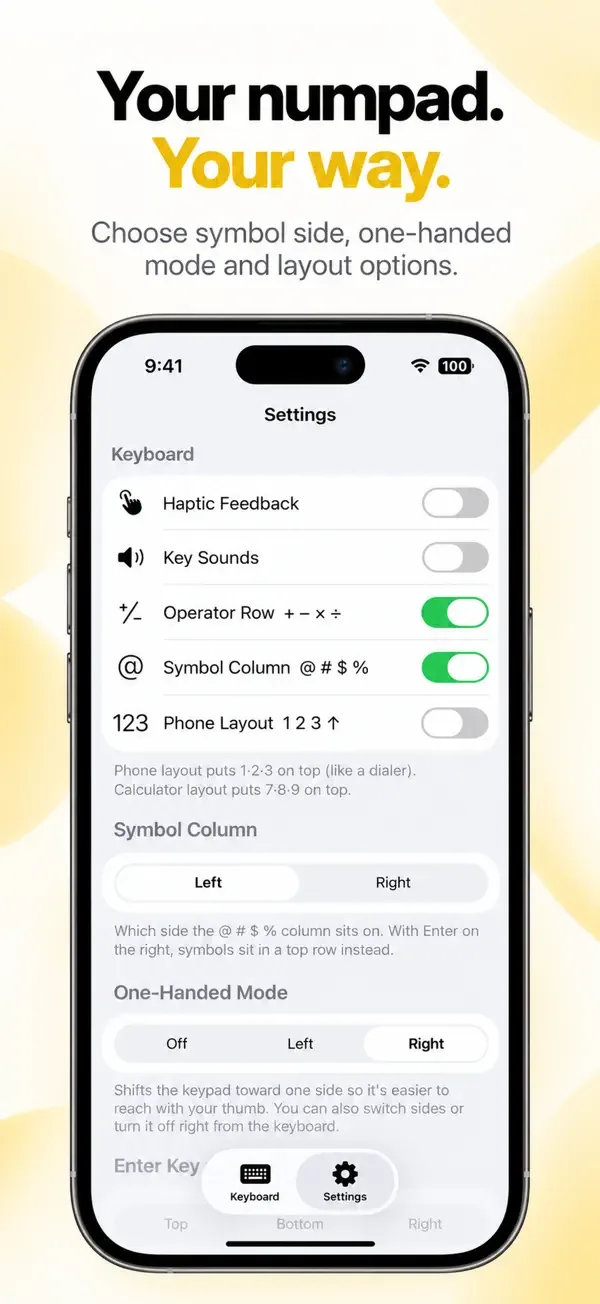
Choose phone or calculator digit order, and place Enter at the top, bottom or right.
One-handed mode
Shift the keyboard toward your left or right thumb and flip sides from the keyboard.
Native feel
Light and dark mode, haptic feedback, optional key sounds and hold-to-delete that speeds up.
Screenshots
Privacy
According to its App Store privacy label, NumPad Pro does not collect data linked to your identity. It may collect a device identifier for analytics. See the App Privacy section on the App Store page for full details, and read our Privacy Policy.
More apps from Codebuster

Handwriting Font Maker
Export your own custom TTF font from your handwriting.

Clipboard Manager — QuickPaste
Copy, paste, and manage text, links, and images with ease.

SnapScan
Scan documents and photos into polished PDF files instantly.

Cover Letter AI & Resume Maker
Build professional CVs and cover letters with AI assistance.

PDF Converter — HEIC to PDF
Convert HEIC photos, images, and documents to PDF in a few taps.